Trusted by 200+ businesses across the Americas




Comparison guide
Practical comparison to choose based on your priority: accounting or sales
Direct Answer: QuickBooks Estimates is a feature within QuickBooks Online for creating and sending estimates, updating their status when the client accepts/rejects, and converting the estimate to invoice to avoid double entry. It also allows clients to review and approve estimates online from email.
Osmos is a "quote-first" platform for B2B: it accelerates quote creation (catalog + templates), automates follow-ups, and provides process visibility so quotes don't get "left on read".
Rule of thumb: If your priority is accounting + invoicing and you send few quotes, QuickBooks Estimates may be sufficient. If your priority is quoting fast, version control, standardization, and sales follow-up to close more, Osmos usually fits better. Note: features may vary by country/plan.
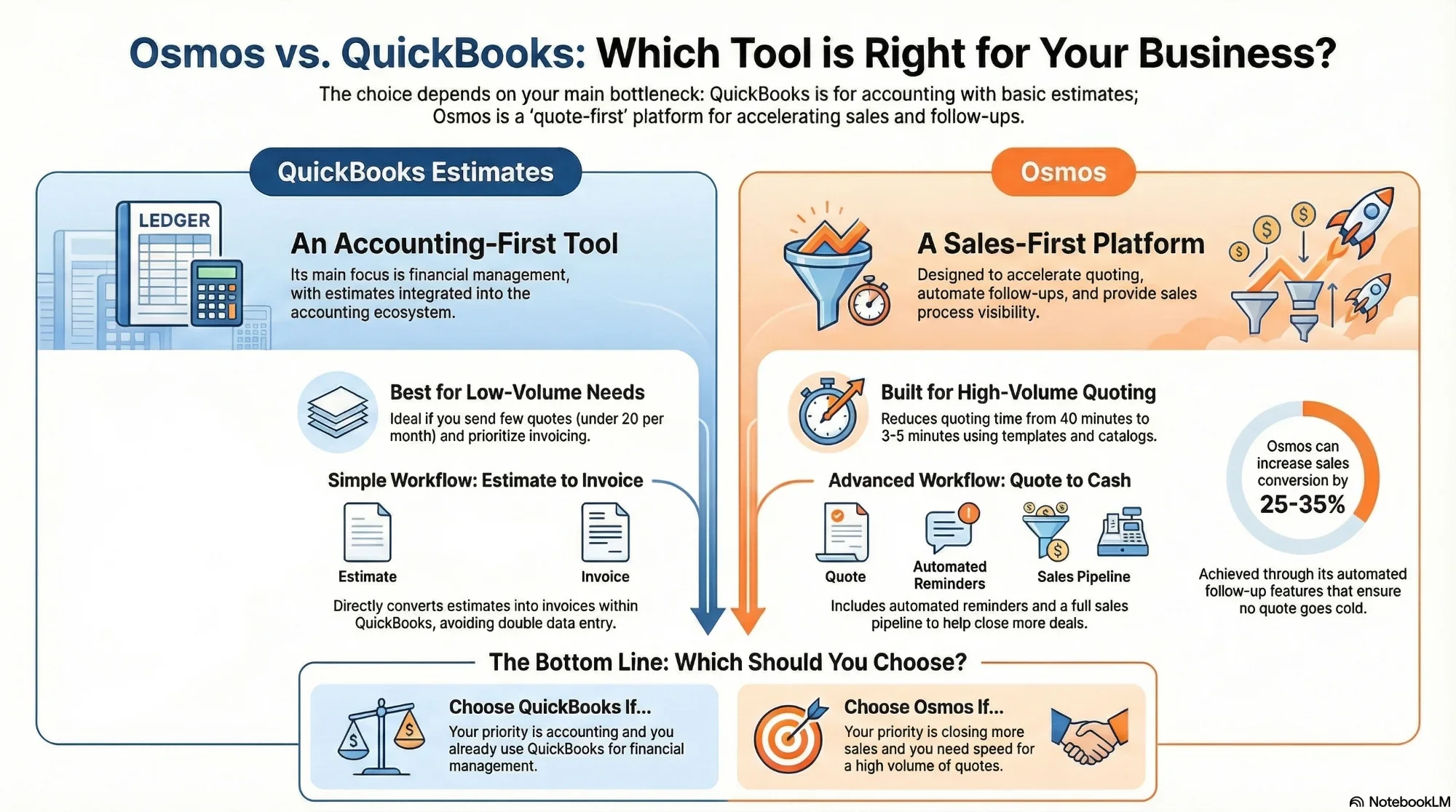
Visual guide to choosing between accounting with estimates vs specialized quoting
Platform definitions
An estimate in QuickBooks Online is for giving your client a "quote/bid/proposal" and then converting it to invoice when appropriate.
Key points:
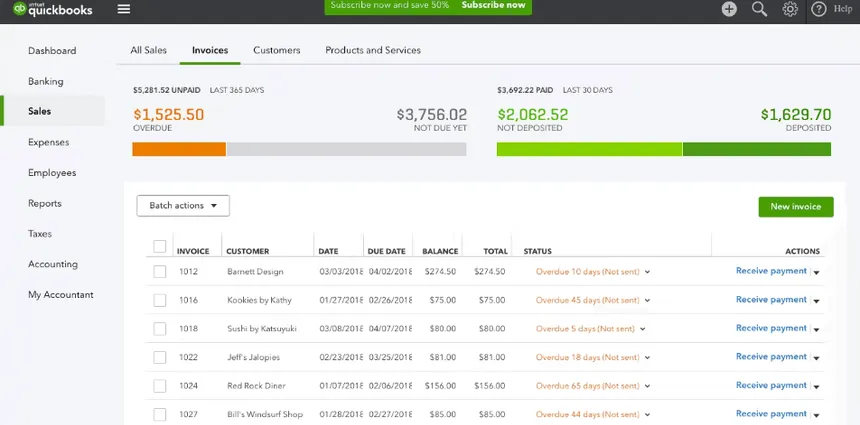
Screenshot: Estimate creation interface in QuickBooks Online
Osmos is designed for B2B companies that send many quotes and need speed, consistency, and follow-up: reduces quoting time and automates reminders/follow-ups.
Key points:
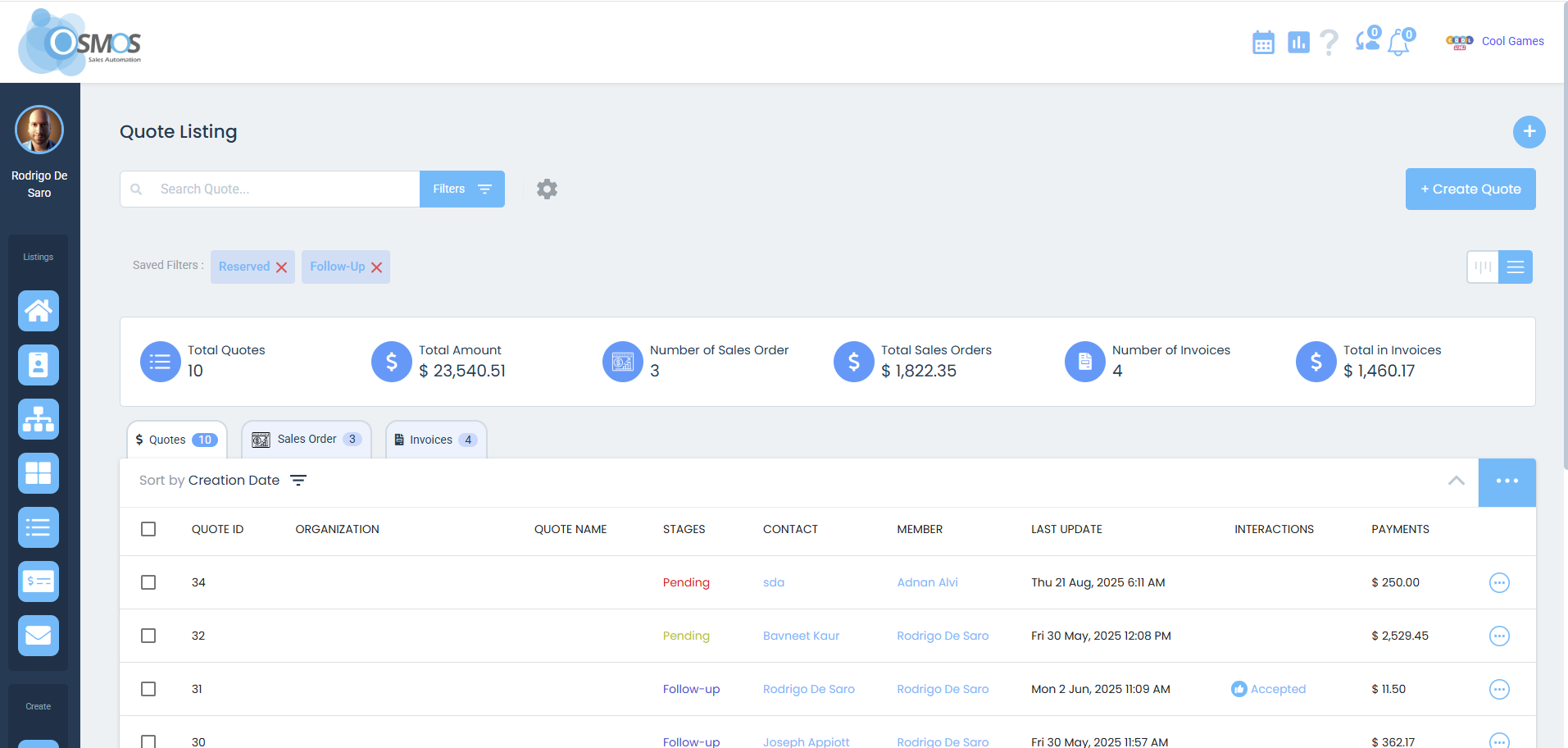
Screenshot: Fast quoting interface with catalog in Osmos
Where teams struggle
The real problem is closing sales:
Very strong on the financial side: invoices, cash flow, payments, accounting reports, bank integration. Estimates within the accounting ecosystem.
Focused on making quoting and follow-up a repeatable and scalable process for B2B sales with high volume.
Process comparison
Side-by-side
Compare key differences to decide which tool to use:
| Criteria | Osmos | QuickBooks Estimates |
|---|---|---|
| Main focus | Quoting + sales follow-up (B2B with volume) | Accounting/finance with estimates that convert to invoice |
| Create and send quote/estimate | Templates + catalog (quote-first) | Create and send estimates by email from QBO |
| Quote speed | Very fast (3-5 minutes with catalog) | Medium (depends on configuration) |
| Sales follow-up | Automated (reminders + alerts + pipeline) | Manual (status updates) |
| Convert to invoice | Depends on your flow (Osmos focuses on quoting and sales process) | Yes - Convert estimate to invoice in QBO |
| Accounting impact | Not the main focus | Non-posting - Estimates don't affect books until invoicing |
| Client approval | Focus on follow-up and closing | Online approval/review from email (per updates) |
| Reports | Commercial (conversion, pipeline, salespeople) | Financial (accounting, P&L, balance) |
| Ideal for | Teams who live by quoting and following up with prospects | Teams prioritizing accounting and invoicing within QuickBooks |
If QuickBooks Estimates falls short, try Osmos free.
See Osmos Demo30-day trial • No credit card • Setup in 1 hour • Support included
Decision guide
Better together
Most teams don't replace QuickBooks — they run both. Manage your pipeline and build quotes in Osmos; when a deal closes, push it to QuickBooks through the integration for bookkeeping and accounting. A real sales workflow up front, your trusted accounting in back.
In Latin America: Osmos connects to multiple local invoicing tools — e-invoicing rules vary by country — so Osmos runs the sales process and hands the closed deal to your local invoicing or accounting software. That's flexibility QuickBooks alone doesn't offer in the region.
See how Osmos compares to other tools on our comparisons page.
Use cases
Situation: Estimate jobs, execute service, then invoice
Recommended tool: QuickBooks Estimates
Why: The "estimate → work → invoice" flow is perfectly integrated in QuickBooks. Keep accounting and estimates in one place.
Situation: Many quotes daily, customer discounts, versions, follow-up via WhatsApp/email
Recommended tool: Osmos
Why: Focus on fast quoting + follow-up allows going from 40 to 4 minutes per quote. Follow-up automation increases conversion 25-35%.
Situation: You need both worlds - fast sales quoting + solid accounting
Recommended tools: Osmos + QuickBooks
Why: Use Osmos to quote and follow prospects, then move to QuickBooks for invoicing and accounting. Define clear flow to avoid double entry.
If your bottleneck is sales, not accounting, see the difference.
Start Free Trial30 days free • Setup in 1 hour • Support included
Questions
It's an estimates feature within QuickBooks Online for quoting and then converting to invoice. It's not specialized quoting software but a feature of accounting software.
No. QuickBooks indicates that estimates are non-posting and don't affect your books until you convert them to invoices. This is ideal for keeping your accounting clean.
Yes. QuickBooks explains the flow to convert an estimate to invoice from the estimates list, avoiding duplicate entry.
QuickBooks describes online review and approval from email according to their updates. The estimate status can update when the client accepts or rejects.
When your main problem is sales: quote fast, standardize quotes, and provide automatic follow-up to prospects to close more sales.
Yes, it's common to use one system for quoting/follow-up and another for accounting. The key is avoiding double entry and defining a clear flow for how information moves between systems.
Yes. The Osmos pricing page mentions a 30-day free trial with no credit card required.
Takeaways
The choice between QuickBooks Estimates and Osmos depends on your main priority:
For B2B teams with high quote volume, Osmos offers:
Try Osmos free for 30 days and see if it speeds up your sales process. See plans and pricing.